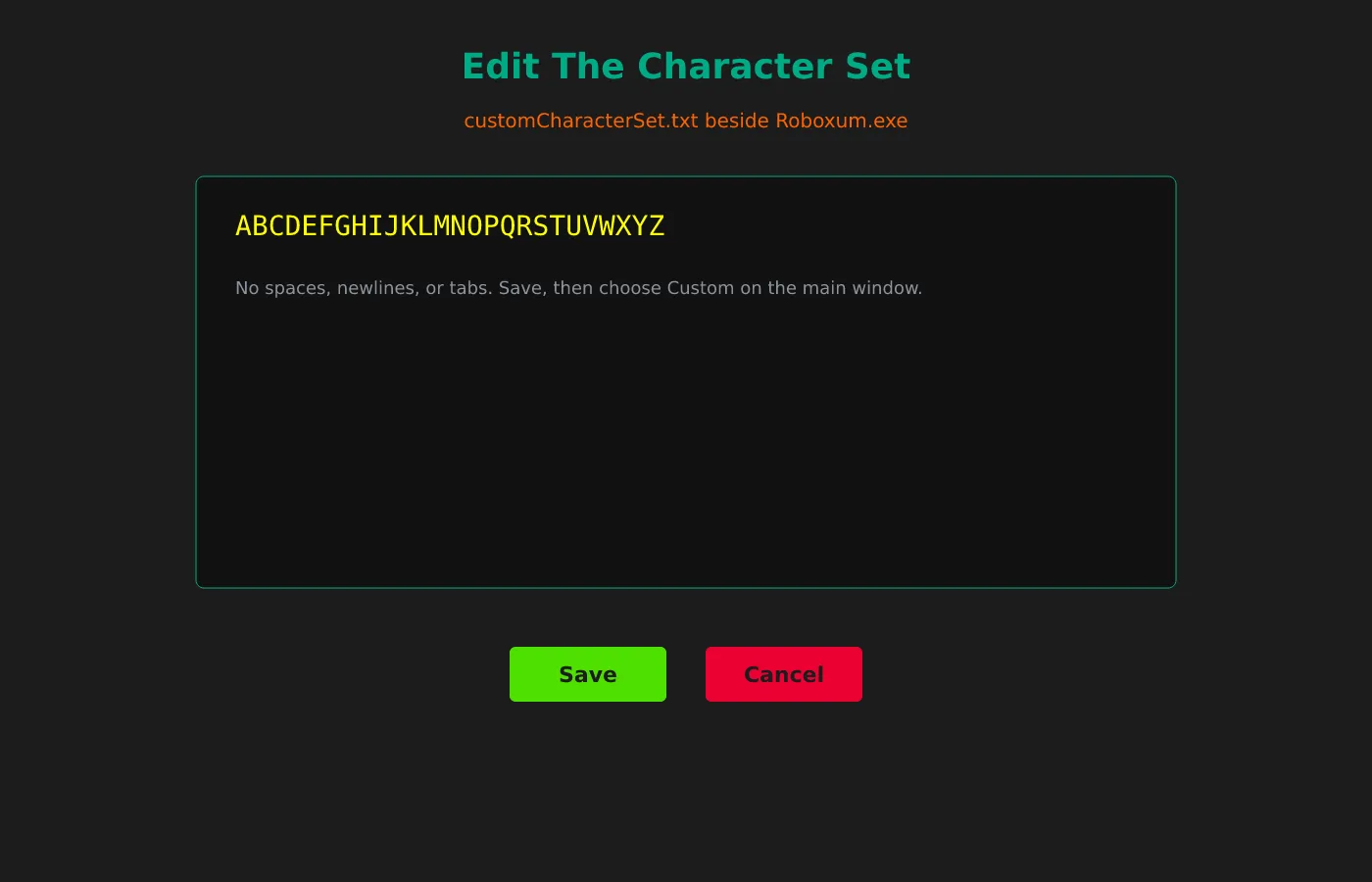
Default versus Custom
Default uses uppercase A–Z. Default + Lowercase adds lowercase. Custom reads customCharacterSet.txt beside Roboxum.exe.
Formatting rules
Upstream asks for no spaces, newlines, or tabs. Save, then choose Custom on the main word search window.
When to use fillers
Custom Filler Characters can constrain noise letters after your vocabulary is placed. Leave blank for random fillers.
Why people land here
People who type word search into a search box usually want a printable grid or a quick playable puzzle. This guide keeps the install story on GitHub Releases for Roboxum so a classroom or home desk can name the file on a ticket.
Roboxum is an AGPL-3.0 Word Finder puzzle generator. It builds letter grids, accepts custom vocabulary, and writes PDF worksheets beside the program directory. That workflow is what we mean by a local word search generator on this site.
Browser tabs as fallback
Browser word search sites still matter as a fallback when install rights are missing. They do not replace a named Windows zip when you need the same vocabulary pack every week without fighting a new layout or interstitial ad.
Softonic-class portals often rank for word search and then offer a different setup. Prefer URLs you typed on github.com/NoahTroy/Roboxum. README SHA-256 hashes for the Windows zips give a second check when policy requires hashing.
Checklist before you generate:
- Prefer GitHub Releases over search ads.
- Keep Roboxum.exe beside wlen.dat.
- Prove Puzzle.pdf before custom alphabets.
- Pin the zip name on the lab ticket.
Package managers stay empty
No winget package id and no Homebrew cask were found on this review date. Do not invent package ids to make an install panel look busier. The honest Windows door is the 64-bit zip, with the 32-bit zip as an alternate on the same tag.
Files beside the executable
After extract, keep Roboxum.exe beside wlen.dat and customCharacterSet.txt. Random word search generation needs the wordlist file. Custom word lists can still run when you supply vocabulary through Add Custom Words.
First proof PDF
First proof is always a small PDF. Set Desired Board Dimensions to a modest grid, leave Character set on Default, pick a simple PDF style, and click Generate Puzzle. Confirm Puzzle.pdf appears before you chase advanced options.
PDF style choices
PDF styles include Puzzle Fills Entire Page; Includes Title; Includes Title, Name, and Date; and Includes Title, Name, Date, and Blank Lines. Pick the style that matches how students will write answers under the word search grid.
Custom Filler Characters can stay blank so fillers are random. Edit Character Set only after one clean English PDF works. Upstream asks for a compact alphabet with no spaces, newlines, or tabs inside customCharacterSet.txt.
macOS and Linux source doors
macOS has no binary on the current tag. Linux has no AppImage on Releases. Both can use Python 3 with Tk and fpdf, then python3 main.py. Those source commands remain UNVERIFIED on a real machine in this research pass.
Find Bind publishes independent install notes. Upstream product bugs belong on the Roboxum GitHub issue tracker. Download buttons point at GitHub Releases for NoahTroy/Roboxum.
Lab imaging
Lab imaging should pin the exact zip name and tag. After reimage, download again from Releases instead of copying an unlabeled USB folder someone marked word search last semester.
Travel laptops benefit from the same Releases URL written beside the extract folder. Mid-flight Softonic searches create support noise when SmartScreen blocks a renamed setup.
When a new tag appears, confirm assetMatch still picks Roboxum_*_Windows.64-bit.zip. Slow release cadence is normal for an educational word search tool; stability matters more than weekly trains.
Teachers can keep newspaper daily puzzles for editorial play while Roboxum handles custom vocabulary worksheets. Those jobs are different, and this site does not pretend otherwise.
Keep the Releases habit visible
Write the GitHub Releases URL on the machine ticket beside the extract folder. When someone else searches for word search mid-class, they should still land on the same NoahTroy/Roboxum zip instead of a Softonic-class mirror. That single habit prevents most of the rename-and-toolbar failures this guide exists to avoid.
Proof before power features
Always prove one printable word search PDF with Default character set before you edit customCharacterSet.txt or Custom Filler Characters. Advanced options are useful, yet they also create confusing failure modes when the first launch never produced Puzzle.pdf. A small eight-by-eight grid is enough for that proof.
Shared desks and fallbacks
Shared desks should keep a browser word search bookmark for guests without install rights. Document which machines run Roboxum and which stay online-only. Mixing those stories without a note creates support noise during the next lab period.
Where binaries come from
Download doors point at GitHub Releases for NoahTroy/Roboxum. Find Bind verifies asset names and README requirements for this word search guide. Upstream product bugs belong on the Roboxum issue tracker. Package ids stay absent when winget and Homebrew have no match.
Frequently asked questions
Is this word search software free?
Yes. Roboxum is free under AGPL-3.0, and GitHub Releases Windows zips have no paywall for the generator itself. Browser word search sites may still show ads if you keep those tabs as a fallback. Find Bind does not sell seats for those sites.
Where should I download word search?
Prefer GitHub Releases for NoahTroy/Roboxum when you need a named word search zip. Take Roboxum_*_Windows.64-bit.zip on Windows. Skip Softonic-style mirrors that only rank for word search and rename the setup.
Does word search need an account here?
No. Roboxum generates locally without a signup or cloud login. Browser account features do not apply inside the Roboxum window. You only need network for the first download and for later Releases updates or source clones.